How to Build a Software Factory
This post is adapted from a talk I gave on October 30, 2026. You can also flip through the interactive slides (press N for speaker notes) or grab the PDF.
Over the past few months, I’ve been working inside what people have started calling a software factory. Today, roughly half of my work runs autonomously. I still drive new features directly, setting direction and steering coding agents in interactive sessions, while the other half runs without me. I no longer type a prompt to start those runs, and for most of them I don’t even click merge anymore.
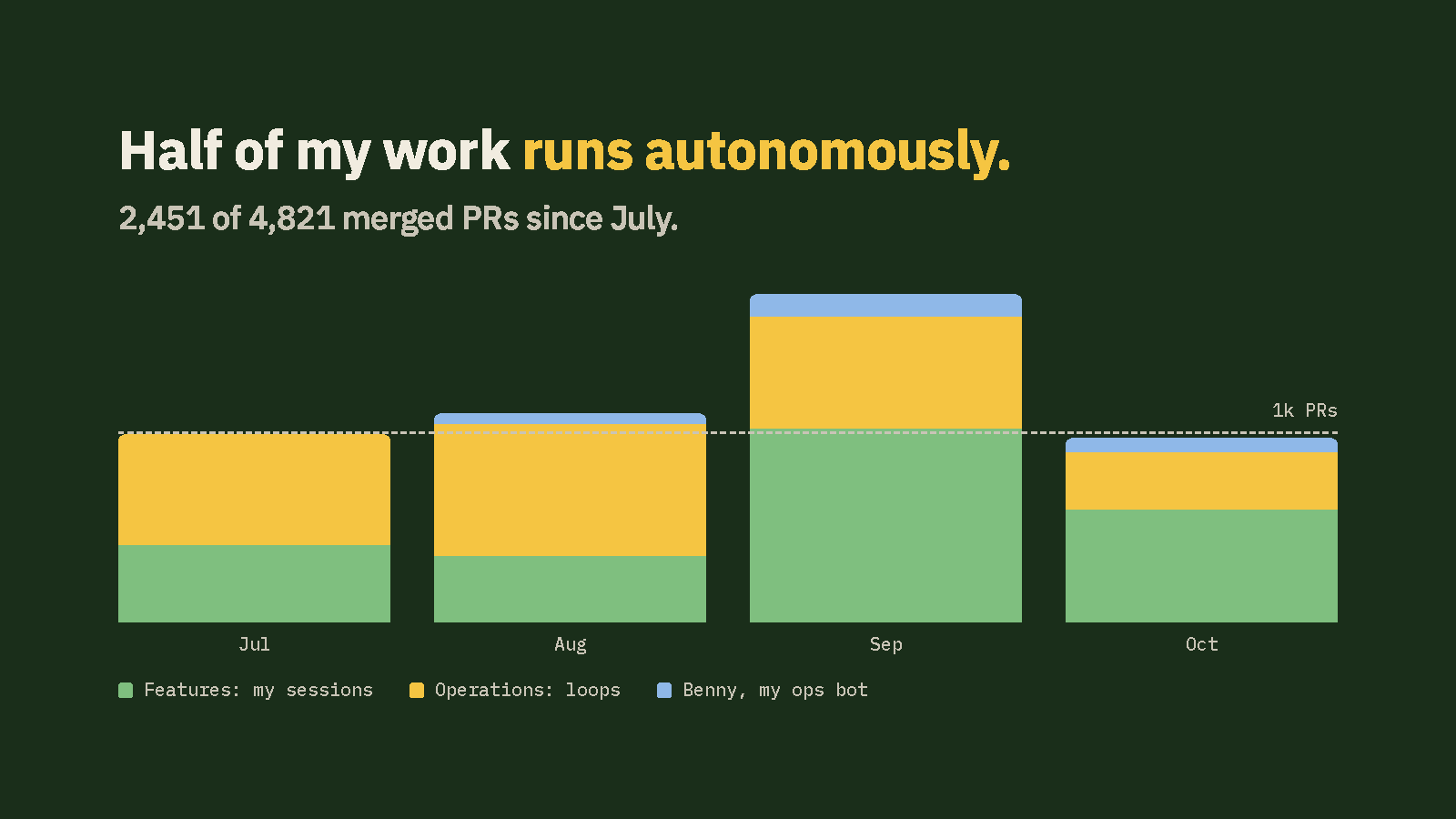
Between July and October, I merged roughly 1,000 PRs a month. Green is feature work from my own sessions, yellow is autonomous maintenance loops that keep the codebase clean (more on these below), and blue is Benny, an ops bot I built at work. You can game PR counts, and they say nothing on their own about quality, but they capture what day-to-day engineering feels like for me now: running a factory.
What is a software factory?
If you haven’t seen the term before, Gergely Orosz drew a good picture of the whole thing in The Pragmatic Engineer with his diagram of the agentic software factory inside OpenAI. Agents write, test, review, deploy, and monitor most of the code while humans design the system and decide what to build.
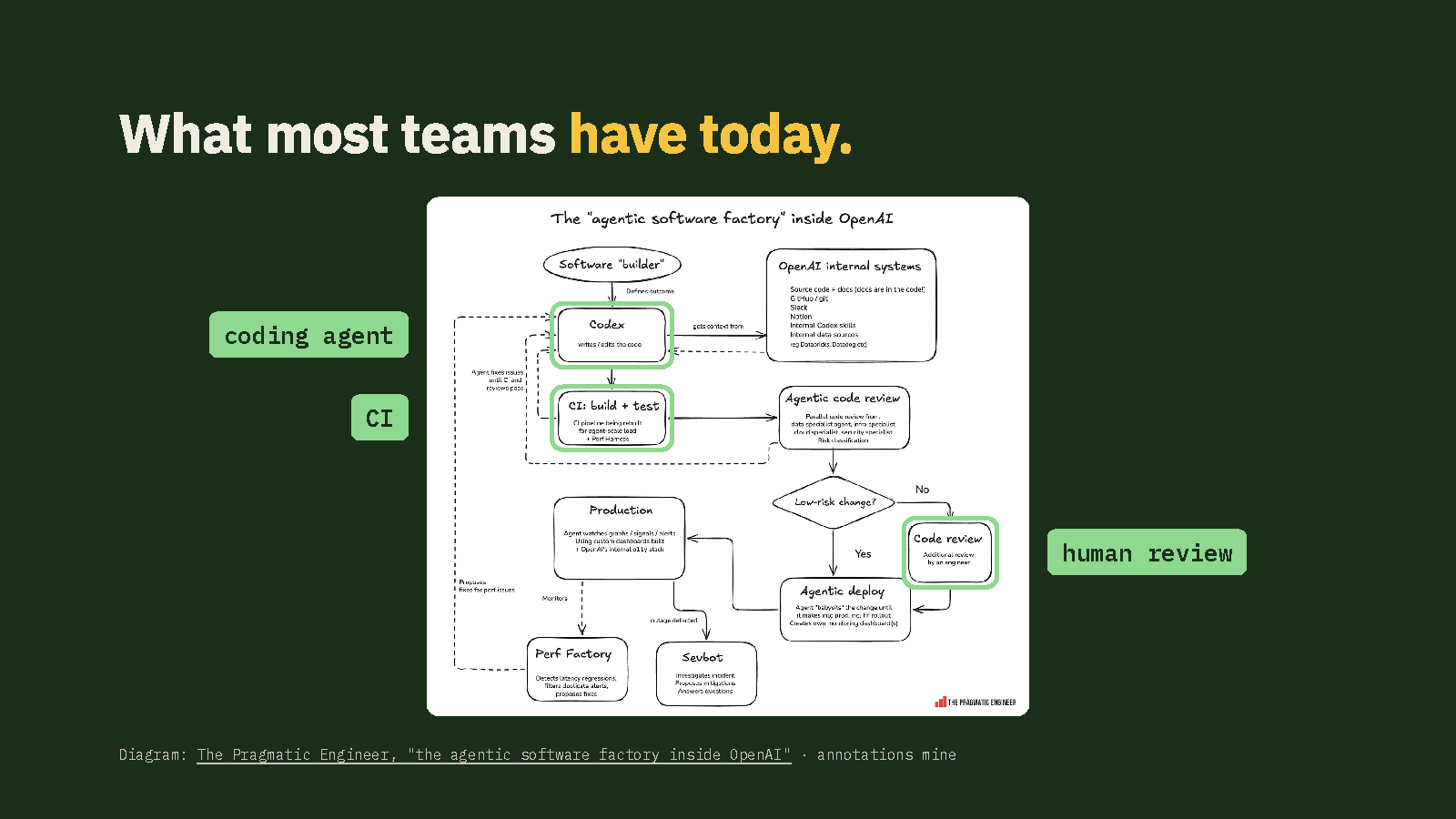
Most software teams today have the three circled pieces: a coding agent like Codex or Claude Code, CI that builds and runs tests, and a human reviewing every PR. Everything else in that diagram — agentic code review, agentic deploy, and bots like Sevbot that watch production and investigate incidents — is what turns a team using coding agents into a software factory.
Plenty of vendors will gladly sell you an off-the-shelf software factory, but I think it’s better to build one yourself so it fits your codebase and the way you work. Here is the order I built my own software factory:
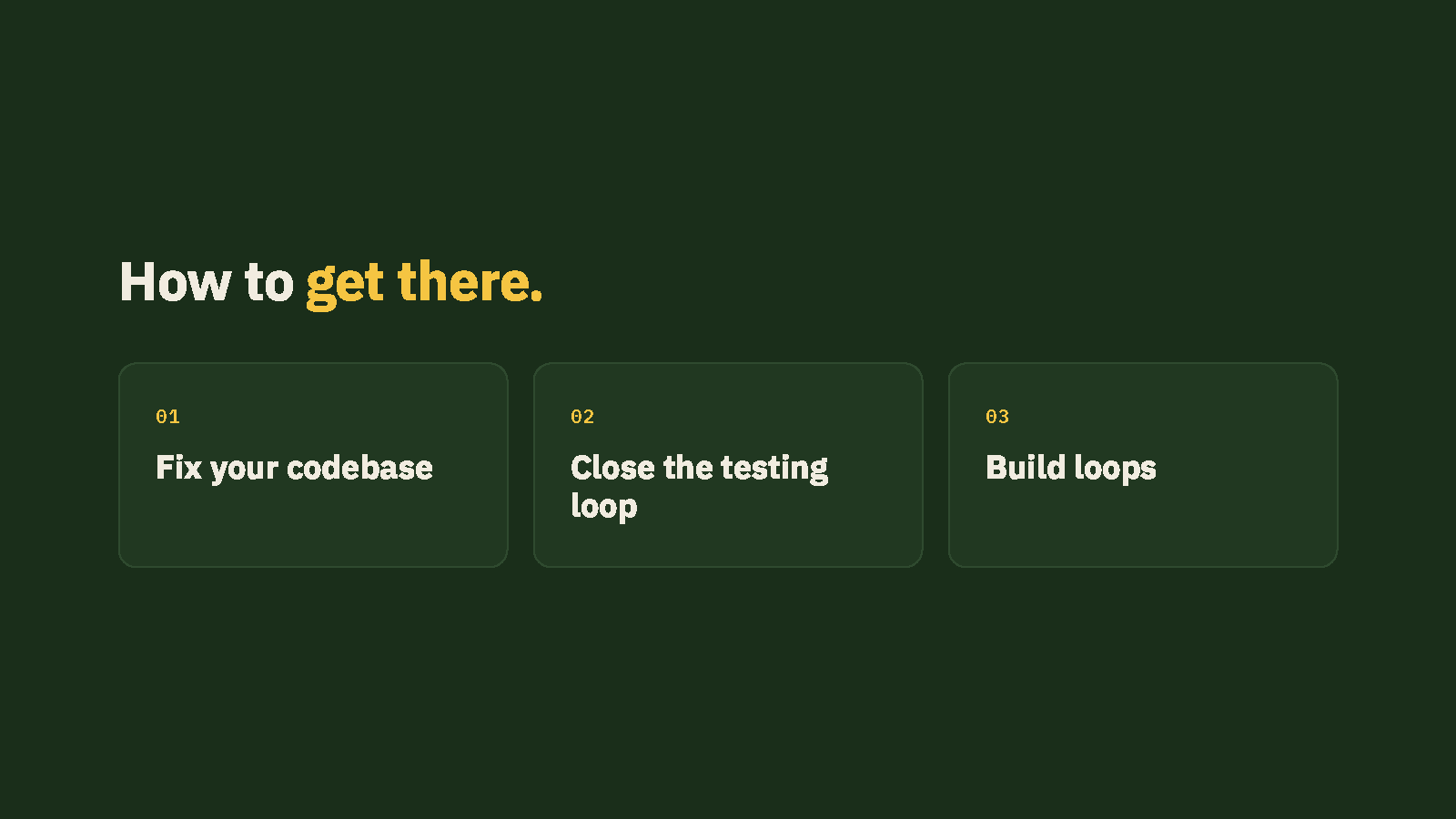
1. Fix your codebase
If you point agents at a normal codebase as-is, you don’t get a software factory. You get a mountain of slop, and every change you try to make after that gets harder.
Lauren Tan shared a great diagram for thinking about where to intervene whenever you find yourself correcting an agent. Your codebase is the largest thing you put into the agent’s context window. When your agent starts doing stupid things or hallucinating, look at your codebase first, not your prompt.
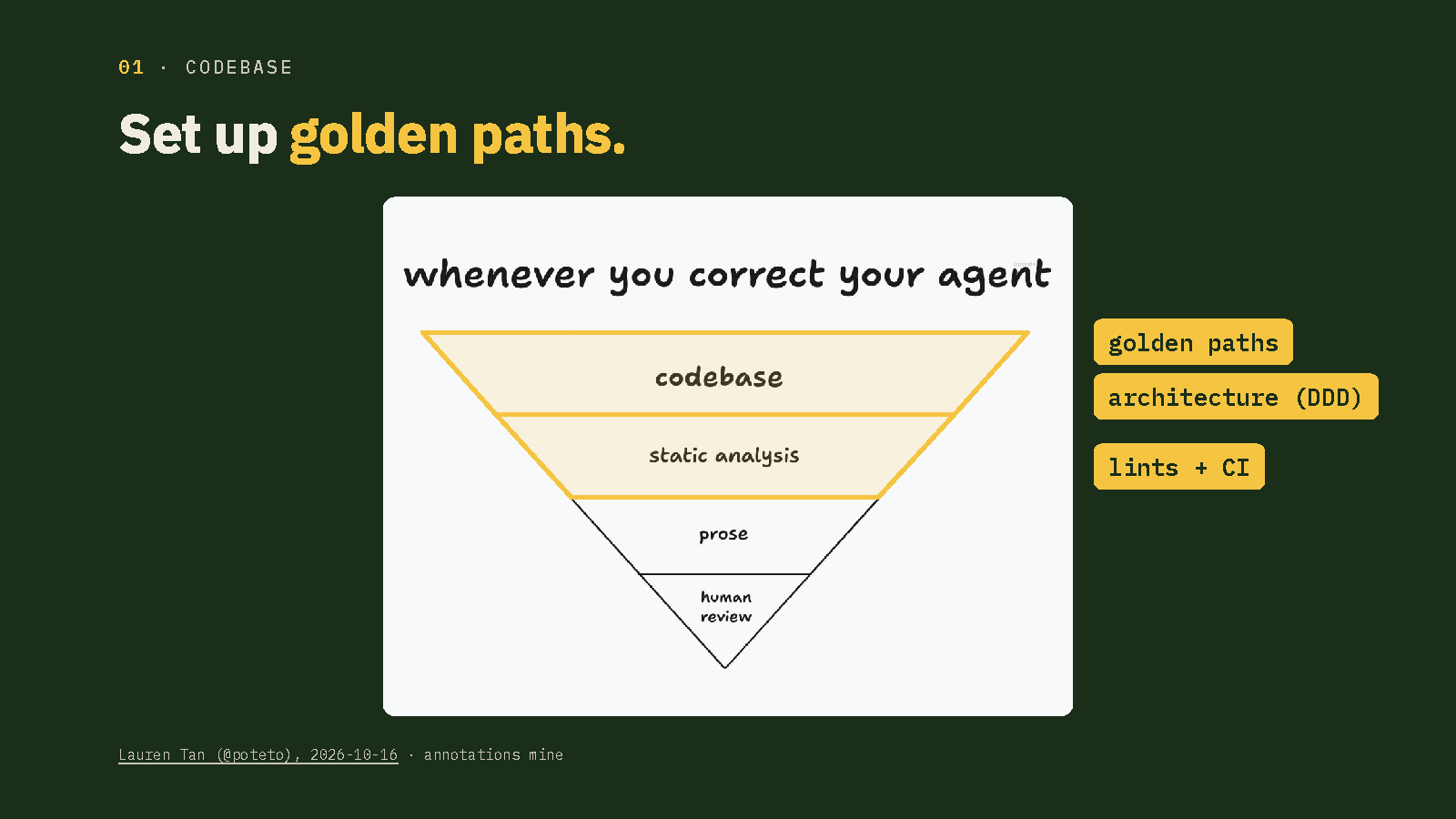
Set up golden paths and lock them in
Your codebase probably has five different ways of doing the same thing. Agents take the shortest path they see in context, so if your codebase is inconsistent, they will amplify that inconsistency. Pick one clear default (a golden path) for each problem shape, and document exceptions as ADRs (Architectural Decision Records).
Architecture matters for the same reason: good boundaries help agents orient themselves without reading half the repo. I’ve found domain-driven design (DDD) works well here. Models already know DDD patterns well. If you prompt an agent to run a DDD audit of your codebase and propose a refactor, it does a solid job.
Once you’ve set up golden paths and domain boundaries, you need to make sure those conventions don’t fall apart as you and your teammates push more code. Lints and CI enforce them. Here, checks beat prose: an agent might follow a rule in AGENTS.md or forget it, whereas a lint runs on every commit. If you succeed, your AGENTS.md should stay thin.
Rewrite. Code is (now) cheap.
Setting up golden paths and lints only helps going forward, because your existing codebase still has years of old code that doesn’t follow them. Before AI, teams hung onto old code because rewriting it was painful. That tradeoff has flipped. Code is cheap now, and unused code isn’t free: it’s extra surface area for both humans and agents to read, maintain, and imitate by mistake.
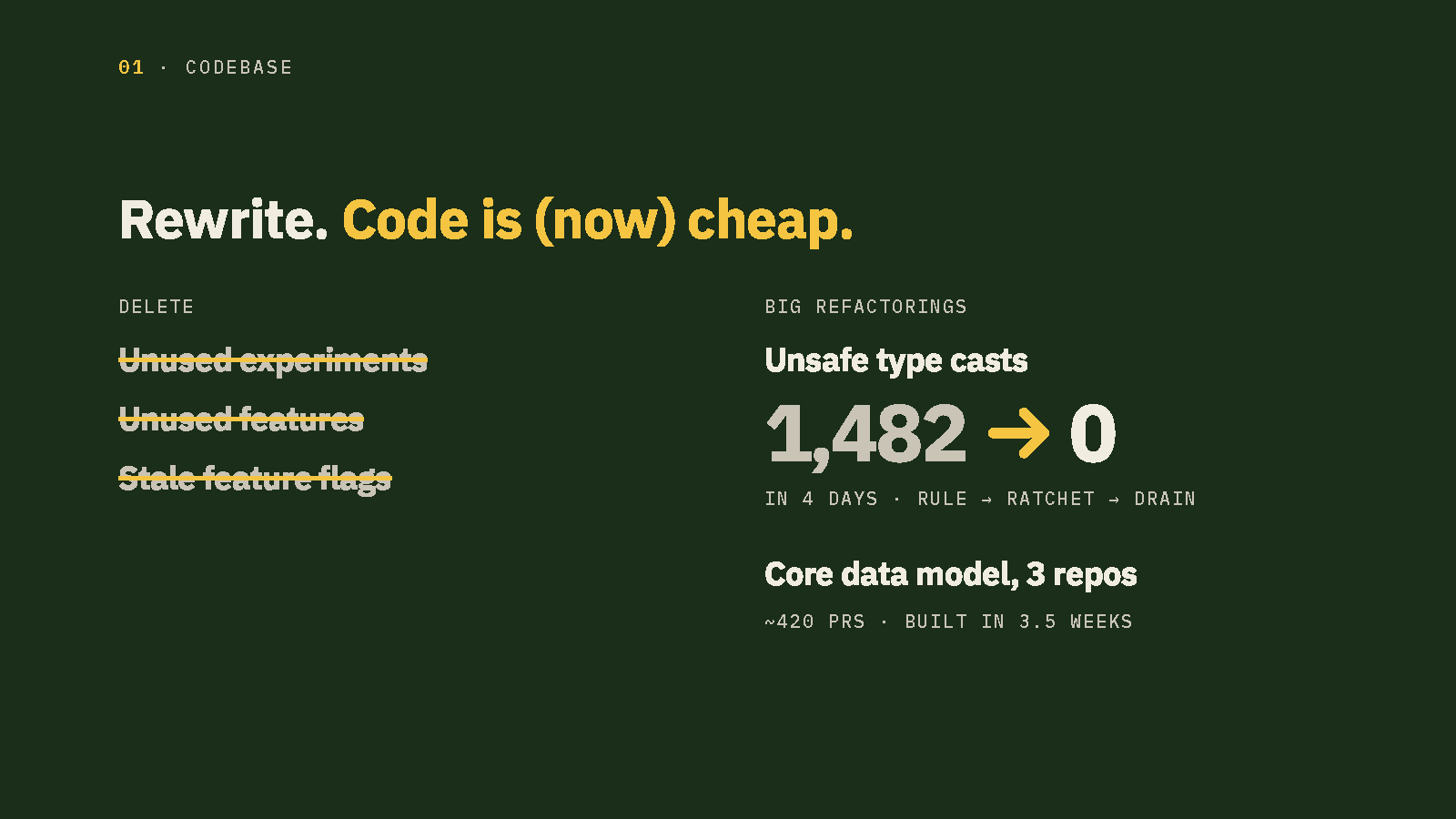
Start by deleting aggressively: finished experiments, unused features, stale feature flags that are always on.
Then go after the big refactorings that used to live on your “someday” list. The pattern that works best is rule → ratchet → drain:
- Turn on the lint rule or check you want.
- Freeze the existing violations as a baseline (the ratchet), so no new code can refill the hole while you’re draining it.
- Let agents drain the baseline down in small PRs until it hits zero.
When I enabled the unsafe type cast rule, I started with 1,482 violations and drained them to zero in four days on the side while keeping up with my regular feature work. Now CI rejects any new unsafe cast.
The same reduction in cost also applies to large migrations. Teams used to live with a bad data model for years because migrating it across services cost too much. I migrated a core data model across three repos (including backfilling and dual-writing) in about 420 PRs over three and a half weeks, without real issues. Once I write the design doc, agents are more diligent than people about taking backups, running checks every time, and tracking what’s left.
2. Close the testing loop
Making sweeping changes at that speed raises an obvious question: if you have paying customers who get pissed off when things break, how do you ship that fast safely? The answer is to close the testing loop so agents don’t have to guess whether their changes work.
Make your agents see
An agent that can only read source code is flying blind. Give it eyes so it can verify its own work the way a human QA engineer would.
If you’re building a web app, give the agent access to Chrome (e.g., via Playwright) so it can navigate flows and take screenshots. If you’re building a mobile app, hook it up to an emulator or simulator so it can record video walkthroughs of clicking through every step.
Once your agents can see, you can spend tokens telling an agent: “Use my app like a human and try to find bugs.” It will catch plenty of basic bugs on its own. You can also require irrefutable proof before accepting a fix: before-and-after screenshots for a UI bug, or a video walkthrough proving an end-to-end flow works. Back when I worked at a gaming company, we had teams of QA engineers manually clicking buttons to catch regressions. Now an agent can run that pass before it even opens a PR.
Slopfork your dependencies (for testing)
In the age of coding agents, there’s a classic failure mode: the agent edits your code, and the agent also edits your tests. How do you know it fixed the bug rather than bending the test to make it pass?
Black-box testing helps here. Because black-box tests only check external inputs and outputs rather than internal implementation details, they shouldn’t need to change when the code does, and you can even keep them separate from the codebase so the coding agent can’t touch them.
The catch is third-party dependencies. Almost every app depends on external services like an email provider or Slack. If you want to test sending 1,000 emails, you can’t fire 1,000 real emails without wrecking your domain reputation.
The trick is to slopfork your dependencies for testing. Have an agent write a rough, throwaway implementation that satisfies the vendor’s public SDK contract. StrongDM calls this a Digital Twin Universe. It doesn’t need to be production-grade; it just needs to behave like the real API so your real SDK talks to it while your app stays a black box.
So far I’ve built two slopforks: an email provider mock (postmock, a mock Postmark server) and a mock video-call server. If you’re building a Slack bot, you can slopfork Slack the same way and run load tests or end-to-end suites against it.
You also get fault injection for free. Because you own the fake dependency, you can trigger dropped sockets, expired tokens, packet loss, and obscure race conditions on demand. Your test suite can end up stronger than pre-AI testing ever was, because you can exercise combinations that used to be almost impossible to reproduce.
Connect your agent to production
Mocks are still mocks, though. Real production environments always find ways to behave differently. As Charity Majors puts it in Production Is Where the Rigor Goes: “The spec describes intent. Telemetry describes reality.”
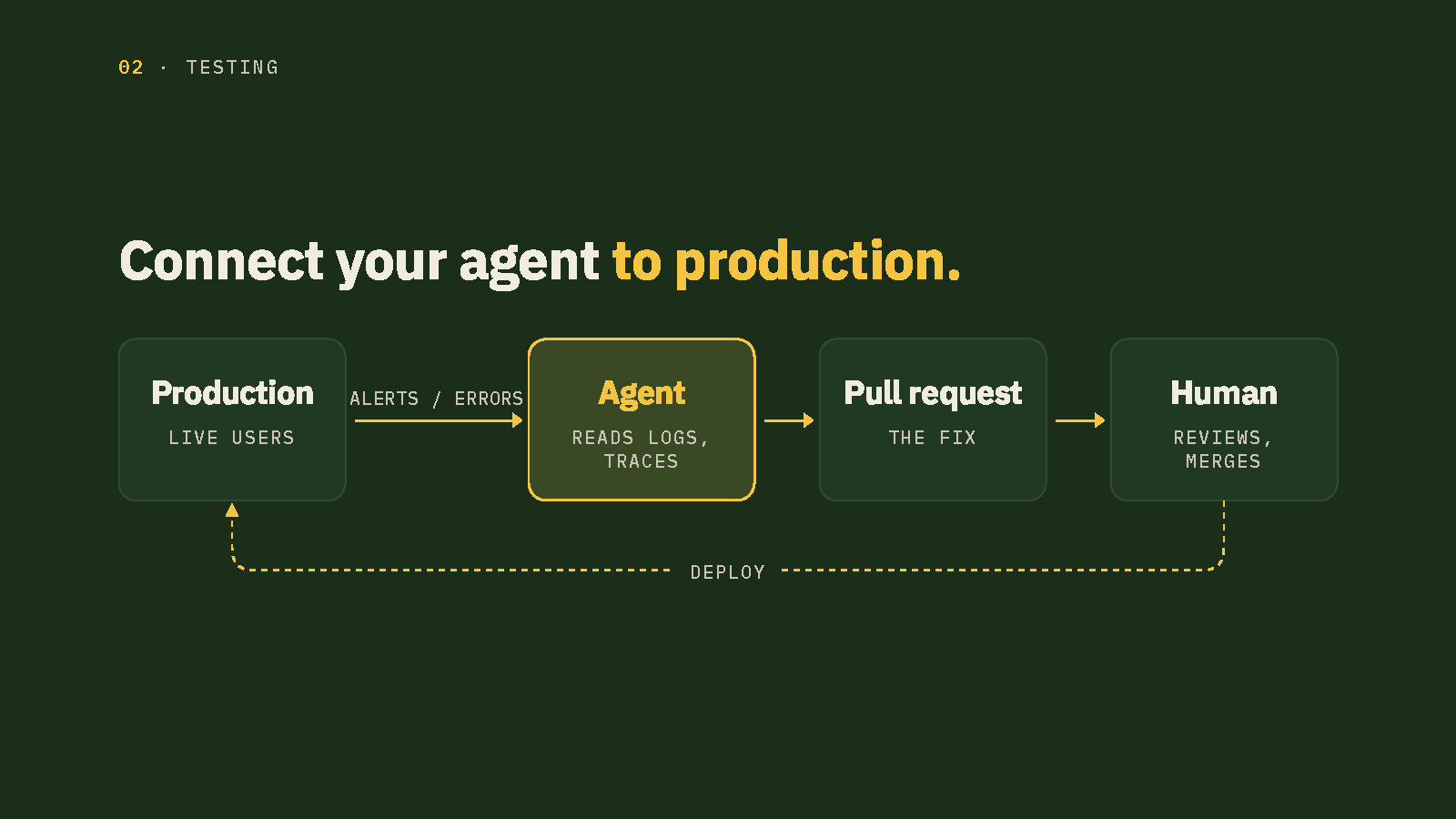
So connect an agent to production. Benny, my ops bot, fills this role. Alerts and errors land in chat, where Benny picks them up with the repos already checked out. It reads logs and traces — and if you’re brave, a read-only slice of your database — decides whether an error is a real edge case worth fixing, and opens a PR for a human to review and merge.
There’s one catch: an agent can only reason about facts it can observe. When debugging a production bug and the root cause isn’t clear from the logs, I first open a PR just to add better logging rather than letting the agent guess. Then I wait for it to reoccur. Since giving my agents access to production logs and traces, I see fewer hallucinations and plausible-but-wrong fixes.
3. Build loops
“Loops” has become a buzzword lately, though I’ve already covered two of them: the self-verification loop (agents seeing their own work) and the production feedback loop (agents reacting to live alerts). Once your codebase and testing loops are in decent shape, you can build autonomous loops that run continuously in the background.
Gardening loops
I think of gardening loops as non-deterministic linters — automated checks for rules that require judgment and can’t be written as static lints.
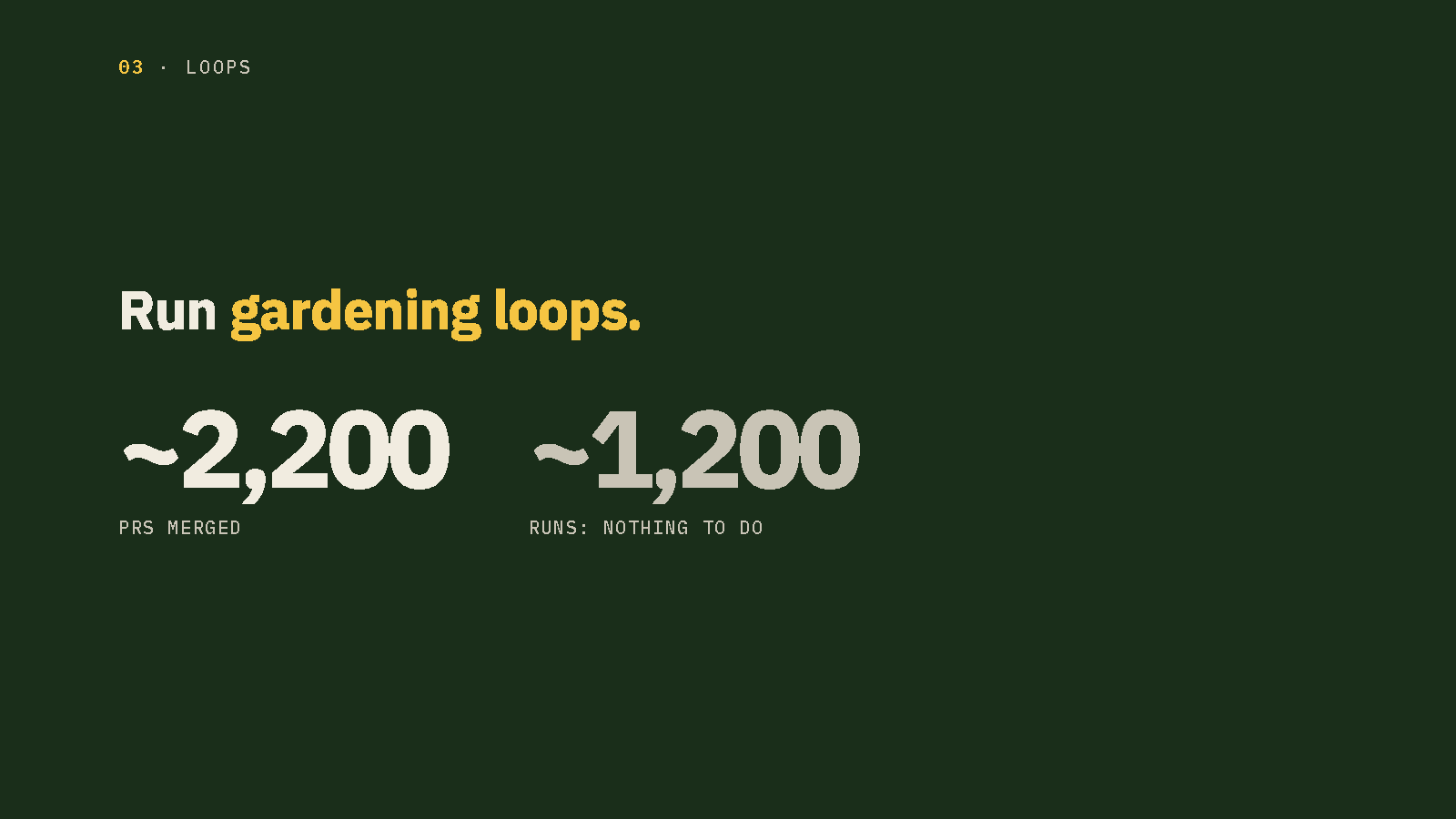
Here are a few gardening loops I run:
- Simplify code that got convoluted during feature work.
- Tighten types. Agents tend to write anxious code, adding defensive checks everywhere like “what if this is null?” instead of parsing once at the boundary and trusting the type system inside the codebase.
- Clean up stale feature flags and delete dead code.
- Rewrite or trim comments. Agents write verbose, low-value comments; a gardening loop shortens them and keeps them focused on why.
Notice the second number on the slide: roughly 1,200 runs did nothing. Quiet runs are a good sign — they mean the codebase is in good shape, and I log every no-op run so I can tell a quiet loop apart from a broken one. Meanwhile, the gardening loops push back against the slop that creeps in as my teammates and I ship features. Whenever I figure out how to express a gardening rule as a deterministic lint, I write the lint and retire the loop.
Self-improving loops
Once you have gardening loops maintaining the codebase, you can build loops that improve the factory itself.
I run a daily loop that reads through my past agent session transcripts, git logs, and fixes, looking for places where agents keep getting stuck. If I had to correct an agent twice for the same mistake, the loop proposes a new lint rule or an update to AGENTS.md so future sessions don’t hit the same confusion.
I built another self-improving loop because I maintain the CI machines at work. Whenever a teammate — or I — pushed a slow test, CI would crawl and I’d have to stop and debug it. Now a loop pulls CI metrics, notices when tests flake or CI gets much slower, tracks down the offending test, and puts up a fix PR.
Take yourself out of the loop
For the first couple of months after setting up gardening loops, I turned into a meat proxy, clicking merge on ~50 gardening PRs every day across multiple repos. At first I skimmed the diffs carefully, until I realized I had never once gotten into trouble for pressing merge.
So I asked: why am I merging ~50 PRs a day myself? Now a separate loop looks at my gardening PRs. If another agentic code review gives a PR a thumbs up and CI is green, the loop merges it. This separates the merging loop from the loop that wrote the PR.
I still find it a little eerie to open git log and see commits under my name landing on main that I’ve never laid eyes on, but that’s the life I’m living now.
Merging PRs isn’t the only place this shows up. Whenever I feel like a meat proxy — clicking merge, pasting logs into a prompt, babysitting a check — I ask myself two questions: Can an agent do this? And how do I build enough trust to let it? I match rigor to risk: I step out of the loop where mistakes are cheap to undo, and I stay in the loop where they aren’t, like a core data model change.
Open challenges remain
Even though I’ve automated half of my own work, several unsolved problems remain:
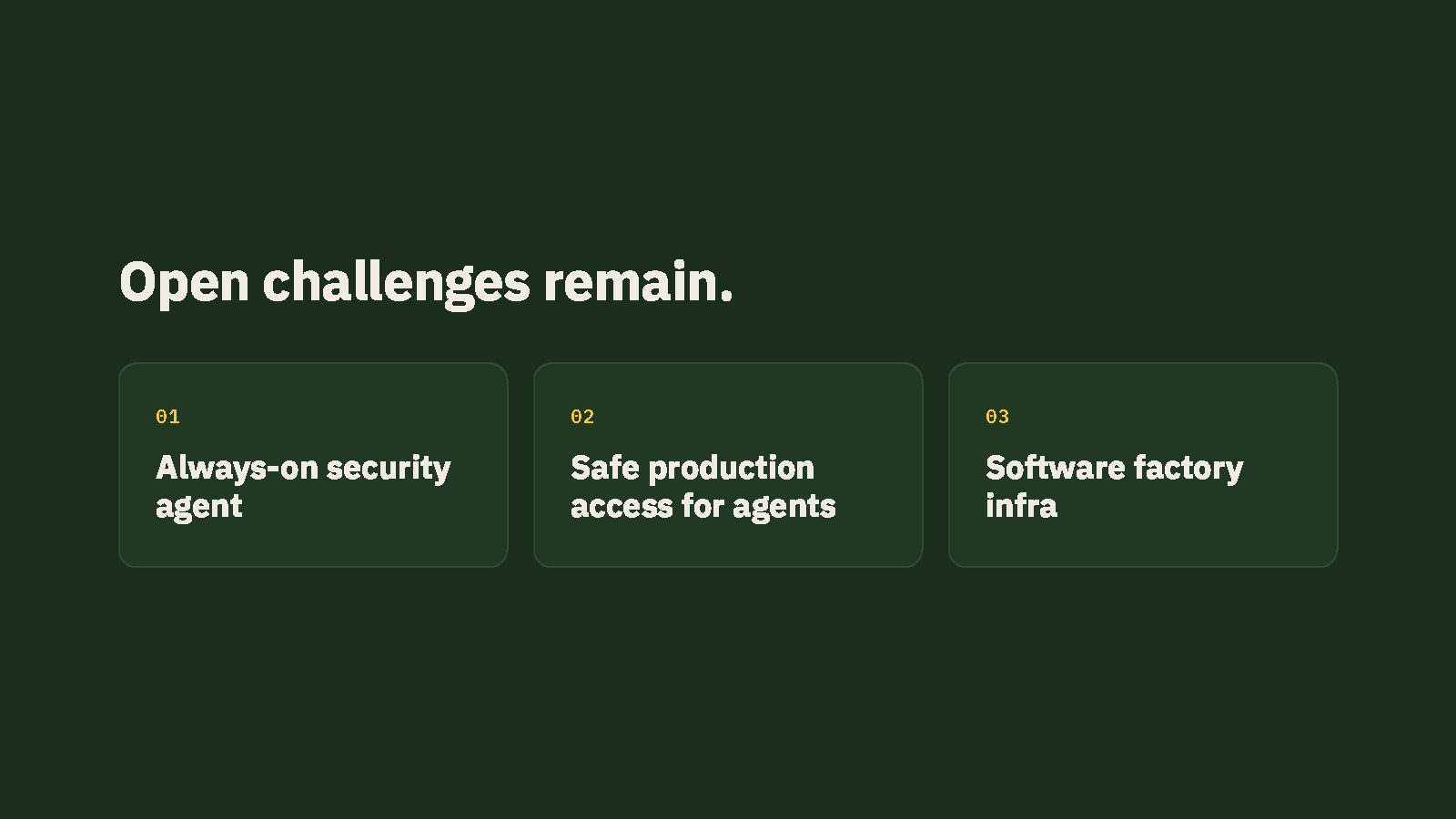
- Always-on security agents. I still don’t have a reliable setup for running continuous security audits or watching logs for abuse and subtle regressions.
- Safe production access for agents. I’m comfortable letting agents read logs and traces, but giving them read-only access to production data is harder. It raises real questions about scoping, scrubbing, auditability, and making sure an agent doesn’t exfiltrate data or get the company pwned.
- Software factory infrastructure. As I scale up these automations, bottlenecks don’t disappear; they just move. I keep running into machine load, shared API rate limits, schedulers that die silently, and CI costs.
Code is cheap. Rigor is not.
Code is cheap now, which is why you can afford to delete old features, run 400-PR data migrations, slopfork your vendors, and run dozens of background loops.
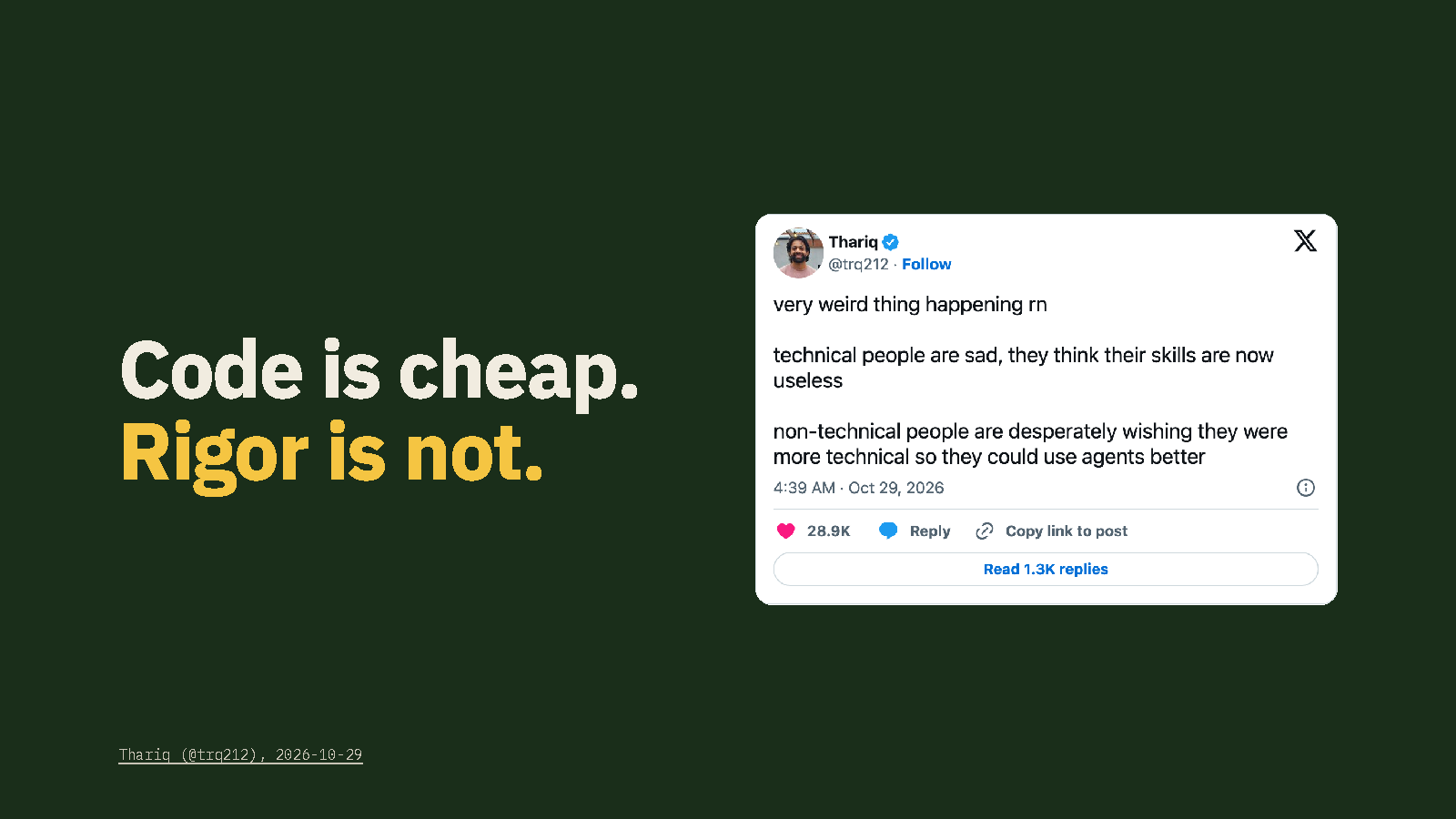
Rigor is not cheap. When you’re building real software for real users, rigor hasn’t vanished — as Chad Fowler wrote, it has relocated. It lives in your architecture, your verification loops, your data models, and production itself.
So if you’re a technical person worried that your skills are becoming obsolete, don’t be sad. There are plenty of hard problems left to solve.
Published on November 27, 2026.